
You’re composing an email. You want to link some text to a URL. In Gmail, this means:
- Select the text
- Squint at the toolbar trying to distinguish the chain link icon from the paper clip
- Click the link button
- Paste the URL into the dialog
- Click OK
That’s five steps for something that should take one.
Every modern productivity app—Notion, Slack, Confluence, GitHub—lets you simply paste a URL over selected text to create a link. Gmail still doesn’t.
With CMDK, this is now one step.
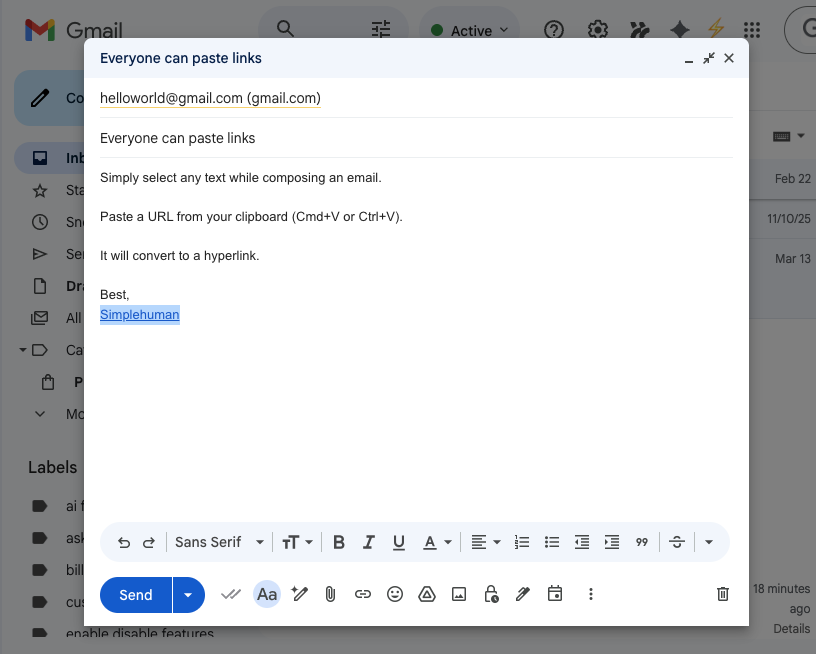
- Select the text you want to link
- Copy a URL to your clipboard
- Paste (Cmd+V on Mac, Ctrl+V on Windows)
Your selected text becomes a clickable hyperlink instantly.
Works everywhere in Gmail
Whether you’re composing a new email, replying to a thread, or forwarding a message—Paste as Link works in all compose contexts.
Full undo support
Changed your mind? Just hit Cmd+Z (Ctrl+Z on Windows) to undo. Gmail’s native undo works exactly as you’d expect.
Pro tip: You can disable Paste as Link anytime in CMDK Settings → Keyboard Shortcuts if you prefer the default paste behavior.
Get CMDK
Paste as Link is available now for CMDK paid users. If you’re already a subscriber, just make sure your extension is updated to the latest version.
New to CMDK? Install the extension for free and try all features during your trial period.